Horse with Snowflakes
 Deanna's Wooden Art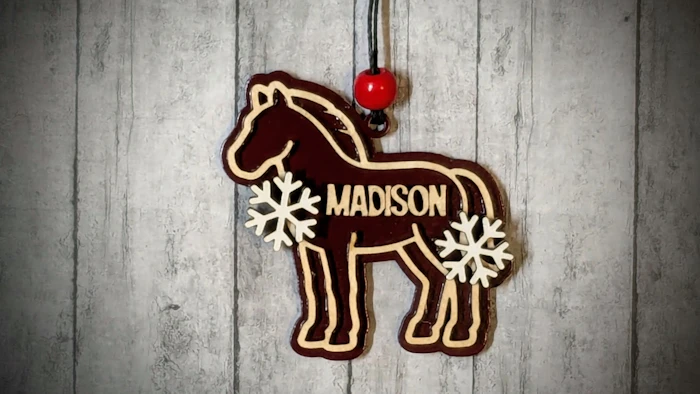
Personalize this Barnyard Horse Ornament by Adding a Name. The Ornament is 3 Layers with the Snowflakes on top of the Horse and a Backer underneath it. Template is also available as a Non-Holiday (No Snowflakes) version with a 3D Print Option.
Directions:
Type in a Name and Choose a Font.
If needed, use Text Position to Center the Text as desired.
Download
Red=Cut, Blue=Score,
Assembly:
Paint Backer & Snowflakes as desired. (Or cut snowflakes from whiteboard)
Glue Horse on Top of Backer using Score Lines as a Gluing Guide.
Use the Inner Piece of the Horse's Body (which will be discarded) as a Gluing Guide for the Name.
Line up Snowflakes, and glue on top of Snowflakes Welded to the Horse's Body.
BONUS Template - No Snowflakes
3D Print Option:
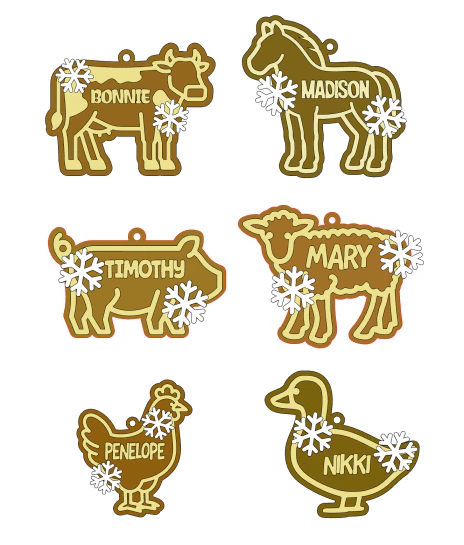
Find the entire Barnyard Ornament Series HERE
Makes & Comments
You must be a member of Cuttle Pro to post in this area.