Snowflake Name Ornament
 Deanna's Wooden Art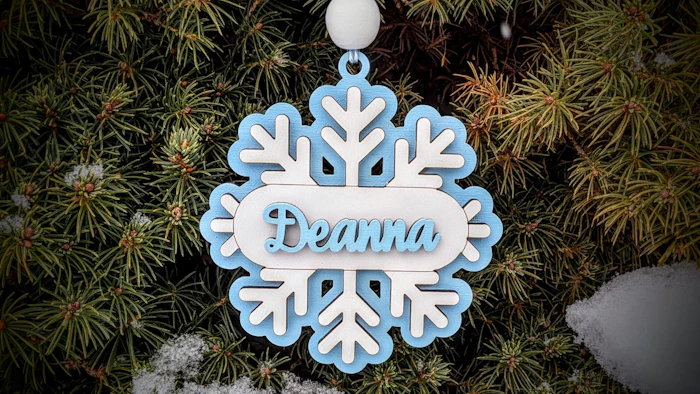
Create this Easy Cut & Glue Personalized Snowflake Ornament by just adding a Name. Templates included for Laser and 3D Print. Update: No Hole Version for Magnets now available.
Directions:
Type in a Name, Choose a font, use thicken if font looks thin, and download. (I used the Font Selina Script with a thicken of 2.3%)
Red=Cut, Blue=Score
Score lines are provided to help center the Name and the Snowflake.
Paint as desired and glue. Project is 3 layers.
Materials I used:
Backer & Name - Baltic Birch, and Acrylic Paints
Snowflake - White MDF from H&H Creations
Magnet - No Hole
3D Print Option (Slightly different -Only two Layers):
3D Print No Hole:
Try this template next:

Makes & Comments
Nancy Stephenson
Love this, exactly what I was looking for, but is there a version without the hole so it can be used as a magnet? Specifically looking for a 3D print option.

Deanna's Wooden Art
Author
Thank you for the suggestion. The Template now includes Laser & 3D Print Magnet versions.
You must be a member of Cuttle Pro to post in this area.