New Crossword Ornaments 🎁 - SVG and 3D Print Generators
NOV 13, 2026
Here's the latest with Cuttle.
- New Family Names Crossword Ornament - Present Variation 🎁
- New 3D Print version of classic Crossword Ornament
- Tree Trunk option on Weld and Score Tree Ornament
- Quickly find templates of any category for any individual Cuttle Creator
Family Names Crossword Present Ornament

We just released a new template based on last year’s popular Crossword ornament. This one is a Crossword in the shape of a Christmas present.
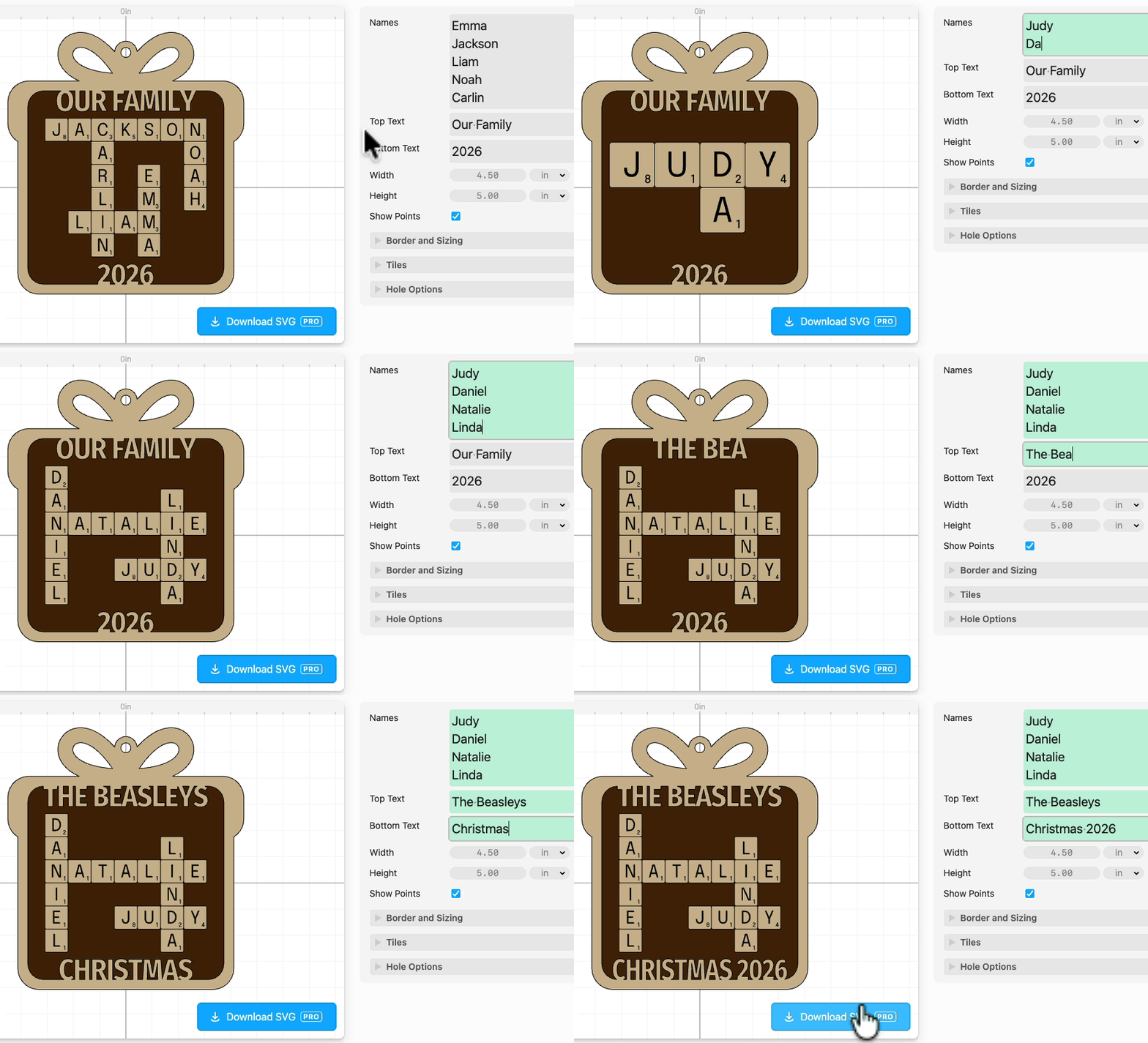
This one has all the features of the classic Crossword ornament and additionally lets you type any text along the top and bottom of the ornament like the family name, year, etc. This text is automatically welded to the frame, like the larger Crossword Sign.
- Type the names of the family and the crossword is automatically laid out
- The letter tile borders are scored, so they come out as a single piece (not a gazillion letter tiles)
- Enter any width and height for the ornament
- The template produces the entire cut file for a two-layer ornament
- Score lines in blue are added on the backer to help you center the tile grid without any guesswork

3D Print version of classic Crossword Ornament

We added a new 3D Print version of the classic Crossword Ornament.
This one has bolder recommended fonts to make the design work for 3D printers, as 3D printers can’t get the fine details that laser engravers can. It took us a few iterations to tune this design, but we’re happy with how it came out and we think you’ll be very satisfied if you’re looking to make this project with a 3D printer.

Note we turned off the “points” in the corner because these are just too small for 3D printers.
Tree Trunk option on Weld and Score Tree Ornament
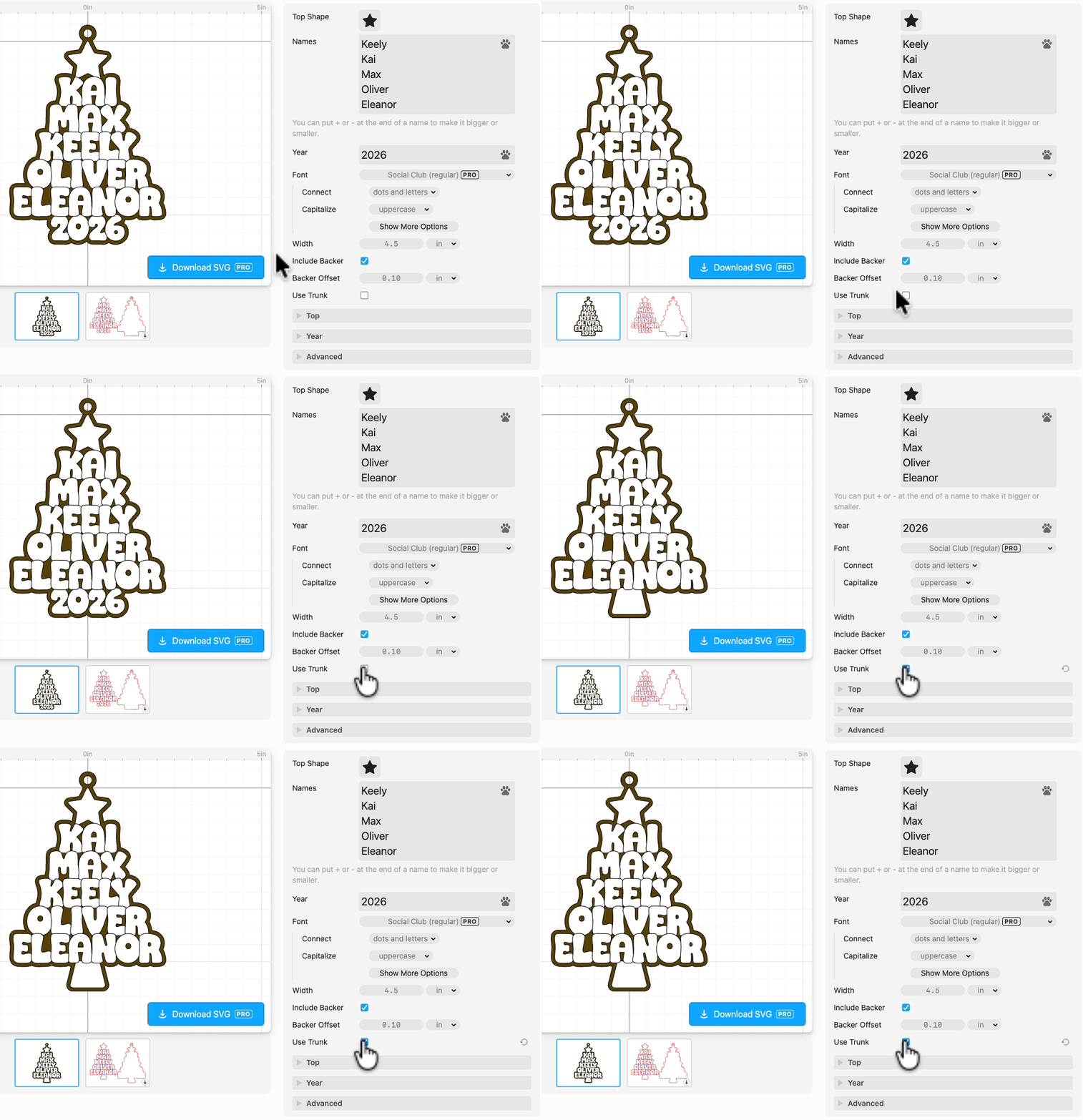
On the new Weld and Score Tree Ornament there’s now a “Use Trunk” option which replaces the year on the bottom with a tree trunk. Thank you for the feature request Elizabeth V on the Cuttle Facebook Group!
Quickly find templates of any category for any individual Cuttle Creator

Cuttle Creators are building up some massive template catalogs. For example Bonnie has over 400 templates!
So we added a feature in the left sidebar to filter Creator profile pages by template. For example you can pick Christmas, Easter, Bag Tags, etc to quickly find the templates made by that Creator within that category.
To find a Cuttle Creator’s profile page, go to the Cuttle Creators section of the template library and click any Creator to see all of their templates. Then filter them down by category in the left side panel.
Other Improvements and Fixes 🐞
- Editor: You can now copy and paste parameters between projects (in the … menu on the parameter)
- Performance optimizations: Faster image fills, Flatten modifier, and Boolean operations
- Improvements to the My Downloads section
- Improvements to template browsing and Learn pages on mobile devices
- We now intermingle Cuttle Official templates and Cuttle Creator templates on the Templates browsing pages. We also moved the avatar image to the corner of the card. We think this is a cleaner look that lets you see more great templates as you scroll.

Toby Schachman