Weld and Score Keychains + lots more updates
AUG 18, 2026
Here's the latest with Cuttle.
- Weld and Score on Layered Keychain template
- New videos on Instagram and TikTok
- Sort and filter templates (show only Cut vs 3D Print)
- Lots more updates… 👇
Weld and Score on Layered Keychain template
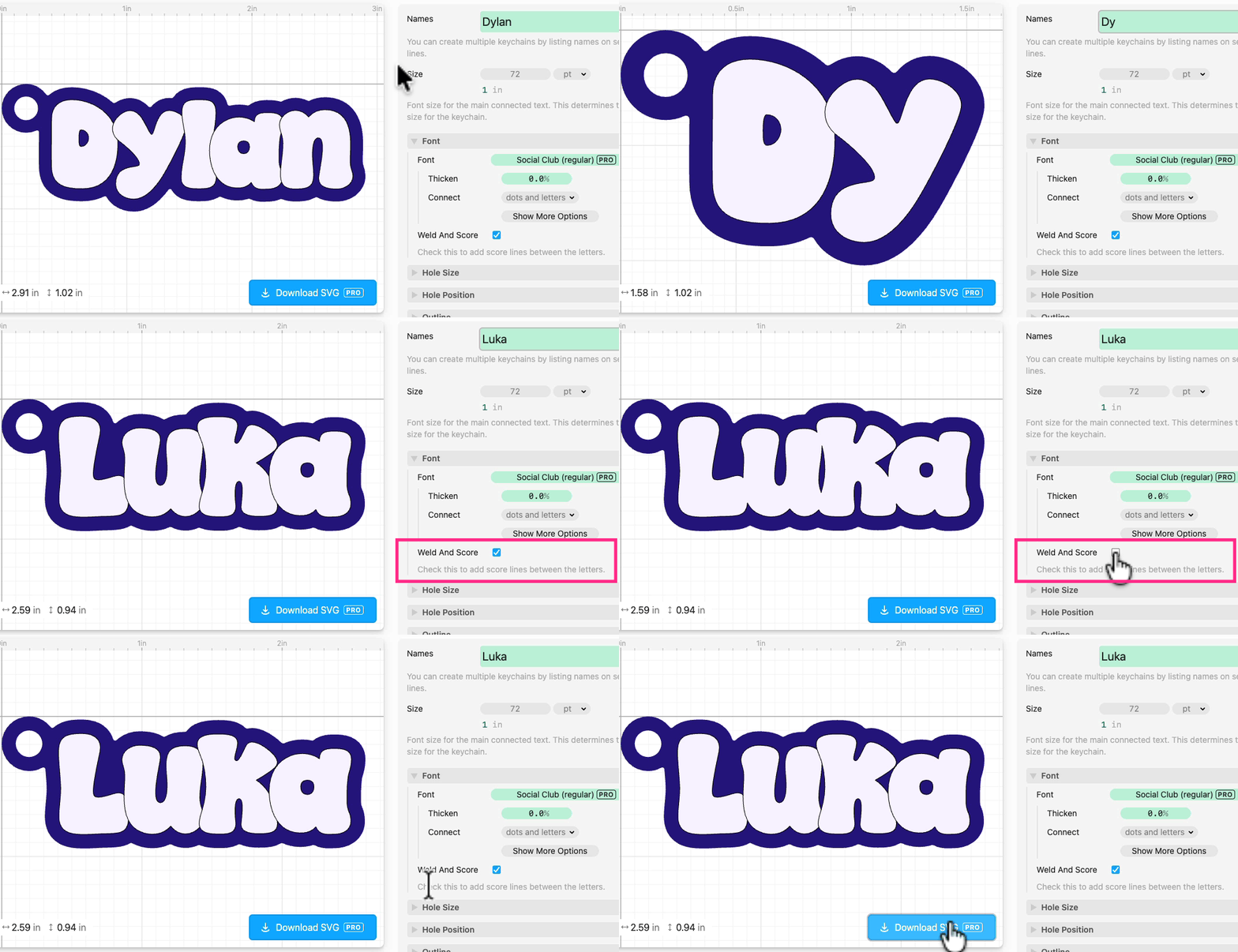
The Layered Keychain template instantly generates a two-layer name keychain.
We just added a Weld And Score option to this template. In the Font section, check Weld And Score and it will automatically add score lines between letters.
New videos on Instagram and TikTok

Federico’s been posting video quick tips on our Instagram and TikTok. (You should totally follow those if you don’t already!)
Sort and filter templates (show only Cut vs 3D Print)

On all the template pages and Creator profile pages you can now:
- Filter them — show only Cut, 3D Print, or Print & Cut templates
- Sort them — by Popular or Newest
Goop - Soften edges on Expand (Offset)
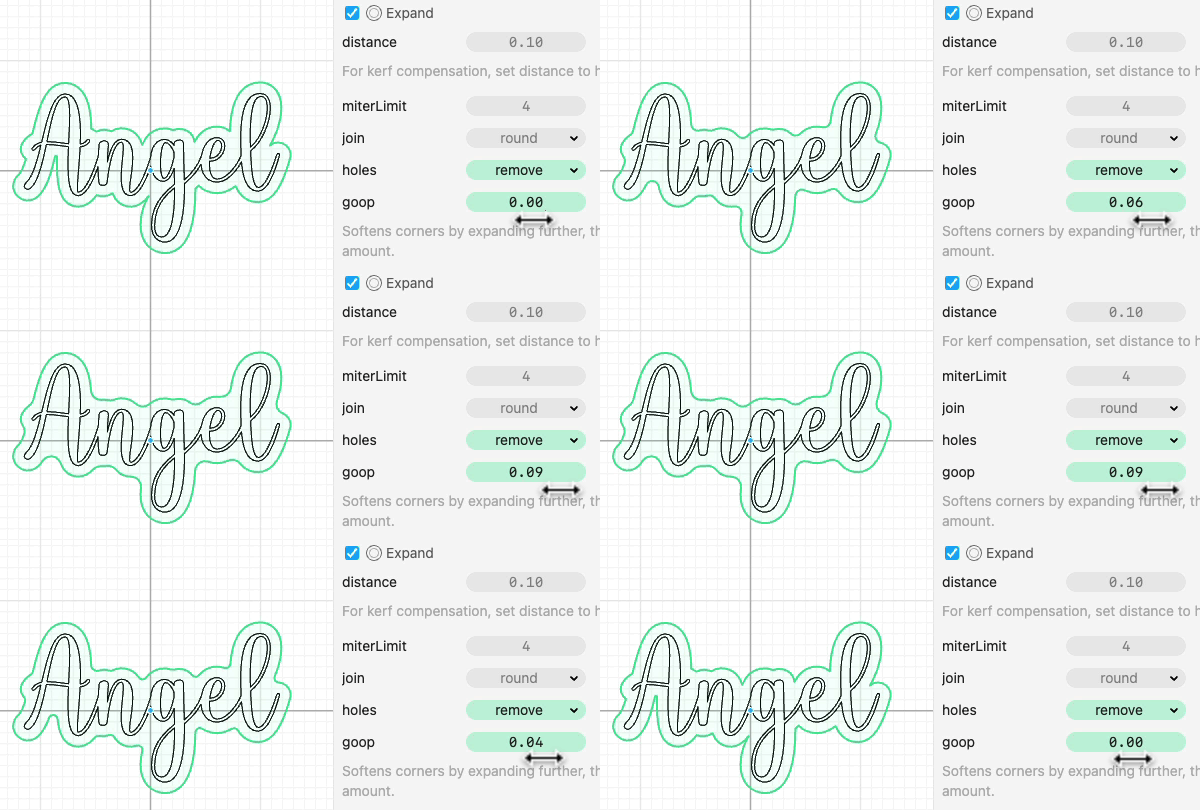
In the Cuttle Editor, we added a goop parameter to the Expand (Offset) modifier. Setting this will soften the corners of the Expand by expanding further and then contracting, making it look a bit more "goopy". We were using this pattern a lot for keychains so we built it in. We also added goop to Contract.
Imported SVGs update

In the Cuttle Editor, we made some updates to how Imported SVGs are handled. The new way allows for some new capabilities, like making templates where users can upload their own SVGs and the template responds.
I recorded a video showing how things work now and some examples for how to use it when making templates in the Editor.
Better AI results

We upgraded our infrastructure to make it easier for AI bots to explore the Cuttle website. So when you ask ChatGPT, Claude, etc questions about Cuttle, the AI should give better answers now.
Other Improvements and Fixes 🐞
- Improved the appearance of links in Makes & Comments
- Cuttle Editor: You can now add Recommended Icons to Text parameters

Toby Schachman