Polar Bear Ornament
 Deanna's Wooden Art
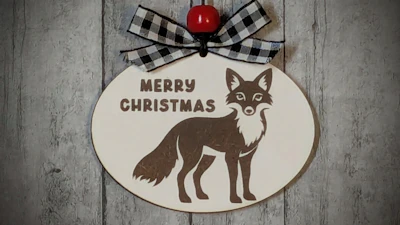
Create this Personalized Polar Bear Ornament by adding a Name or Short Phrase.
Directions:
Type in a Name or Short Phrase and Choose a Font.
As Fonts can be different sizes, if needed, you may center the Text using the Tools in the Text Size and Position Folder.
If creating Multiple Lines of Text, You may wish to use Line Height to adjust the vertical space between the lines of text.
If a Hanging Hole is not desired, Uncheck the Include Hole checkbox.
Red=Cut, Black=Engrave
Material Used in Example:
Dry Erase Board/ Chalkboard from Lowes

*BONUS: Untested 3D Printable File available in the Editor. Just Open the Cuttle Editor to access from the Left Components Menu and Download from the File Menu.
Try this Template next:

Visit Deanna's Wooden Art for More Templates HERE